

Features



User Defined Language Injection
In IntelliJ IDEA you can quickly configure language injection for XML tags, attributes and Java method parameters and their return values. Just use Inject Language Intention on the code like this:
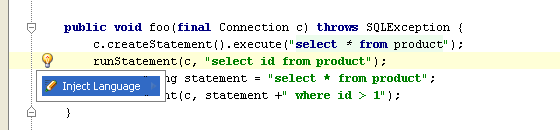
and it will immediately turn to:
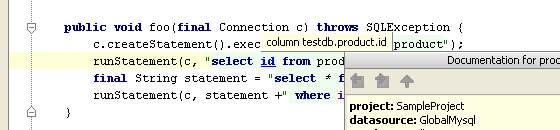
And you get the complete coding assistance, with syntax and error highlighting, completion and navigation.
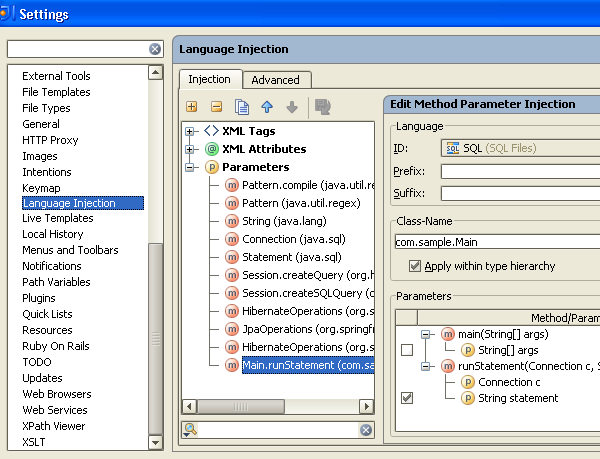
This functionality is provided by the bundled IntelliLang plugin. The full configuration is available for edit in the Settings dialog (see screenshot below). Default configuration includes various mappings like RegExp language in Pattern.compile(), SQL in JDBC API calls, JPA & Hibernate QL injections and much more.
Prev post Spring Webflow Support in IntelliJ IDEA 8Smart Completion of Java Primitive Method Parameters Next post
Subscribe to IntelliJ IDEA Blog updates


