Debugger: working with sub-ranges for arrays and lists
September 30th, 2011 by Denis.ZhdanovDuring debugging IntelliJ IDEA shows only the first 100 elements of arrays and collections. It’s enough in most cases. However, it’s sometimes convenient to use a custom range. Exactly for this the ‘Adjust Range’ action has been available for arrays for quite a long time. But recently we’ve made a couple of improvements to it. Namely:
- ‘Adjust Range’ works with lists now
- adjusted range is preserved for local variables delivered to another stack frame
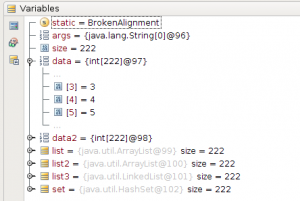
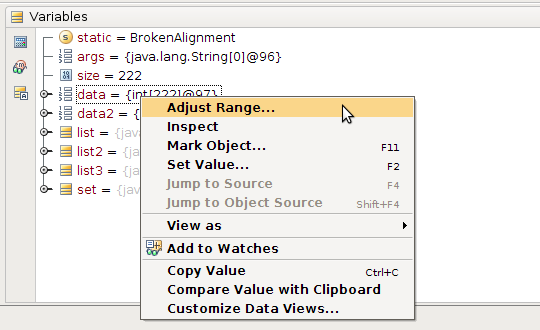
Quick demonstration example:
- Start debugger and wait until target break point is hit;
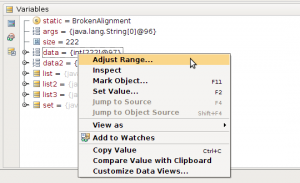
- Right click on target array/list and select the ‘Adjust Range…’ action:
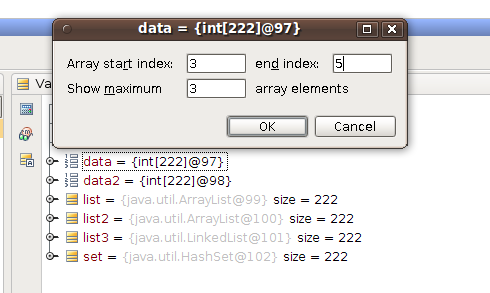
- Define a range:
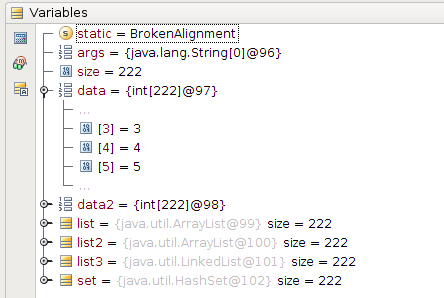
- Check the result:
Tags: Debugger

September 30th, 2011 at 8:51 am
Cool! I have waited for this feature for a long time!
September 30th, 2011 at 9:19 am
Denis, if I were your manager I would punish you for brown color scheme
September 30th, 2011 at 9:24 am
Fyi, that’s a standard gnome theme
September 30th, 2011 at 11:28 am
I know. Unfortunately many Linux products harmed by untasteful aesthetics. IDEA is not that kind of product though
October 1st, 2011 at 9:34 am
That’s nice. But is It possible to add some navigation buttons (like scroll down) instead of “…” signs?
October 3rd, 2011 at 12:43 am
Please submit corresponding feature request to the tracker.
October 4th, 2011 at 6:24 am
I’d actually like to have, instead, a menu option there which does not make you type numbers to adjust a range or so, but instead opens a dialog with a scrollbar with the whole array in it (if needed capped at 10000 or so values with a “more” button at the bottom). I think it’s much easier to debug your problem if you can have a nice visual representation of the whole thing in one self contained dialog, than if you need to twiddle with numbers in popup menu options and collapsible tree controls!
But it sure is a step forward!
October 4th, 2011 at 7:12 am
@Aardwolf: I’d say that it’s a slightly different use-case because the blogged facility allows not only show values beyond the default limits but hide non-interesting values as well.
However, I agree that ‘more’ control would be handy during debugging. Can I ask you to create corresponding ticket request?
October 10th, 2011 at 8:16 am
Nice, this paper cut has bothered me a lot in the past. Ironically, I always needed to see the 101th element it seems…